

Your POS says you have 4 of the new die-cast set on the shelf. Your website says it's sold out. A customer who called ahead is standing at the counter confused, and your weekend online orders quietly stopped coming in two days ago without anyone noticing. Nobody changed anything. The sync "just broke."
There's plenty of material out there explaining why you want a single source of truth — and if you haven't sorted your SKU hygiene yet, the master-SKU blueprint is worth reading first because half of all sync problems trace back to messy identifiers. But once the theory's in place and the feed still misbehaves, you need actual diagnostic steps. Not "contact your integrator." Steps you can run yourself in ten minutes.
That's what this is: a troubleshooting library for the specific, boring, recurring failures in POS-to-web availability feeds. I'm assuming you already know what a SKU is, that your POS exports inventory somehow, and that your web store pulls it in on a schedule.
How availability feeds actually move (and where they snap)
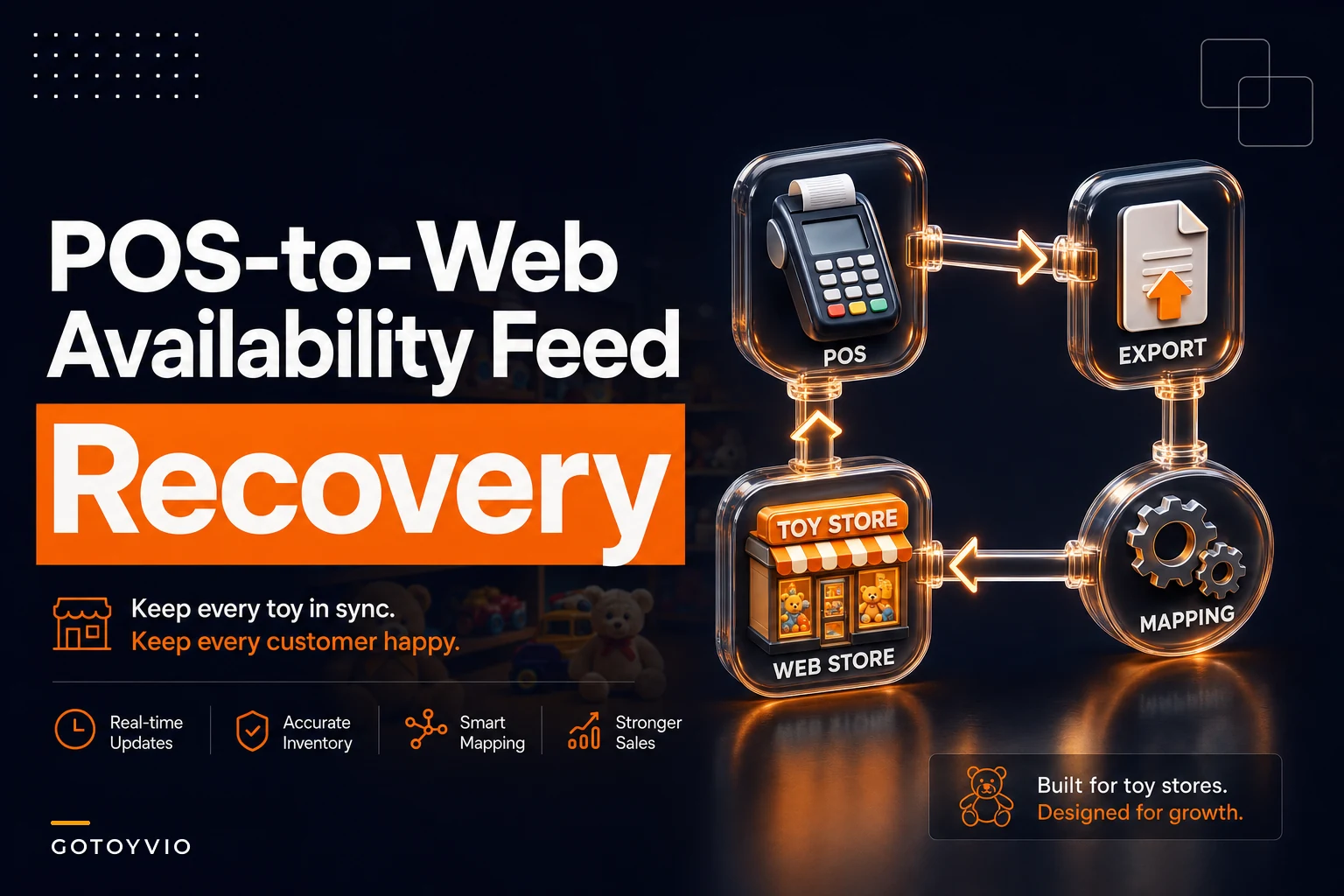
Before the error library, you need a mental model of the pipeline, because almost every sync failure lives at one of four handoffs.
-
POS inventory state — the quantity-on-hand in your point-of-sale.
-
Export/API layer — the POS pushes a file or exposes an endpoint (CSV drop, JSON API, or a middleware connector).
-
Field mapping — something decides that POS field
qtyavailablebecomes web fieldinventoryquantity, and that POSitem_idmatches websku. -
Web ingest — your store reads the mapped data and updates product availability on a cadence (every 15 min, hourly, nightly).
When stock looks wrong online, the failure is almost never "the whole system is down." It's one field, one SKU format mismatch, one timezone offset, or one silently-skipped row. The trick is isolating which handoff broke before you start changing settings. Most owners skip straight to re-authenticating the connector, which fixes maybe one problem in five and creates two new ones.
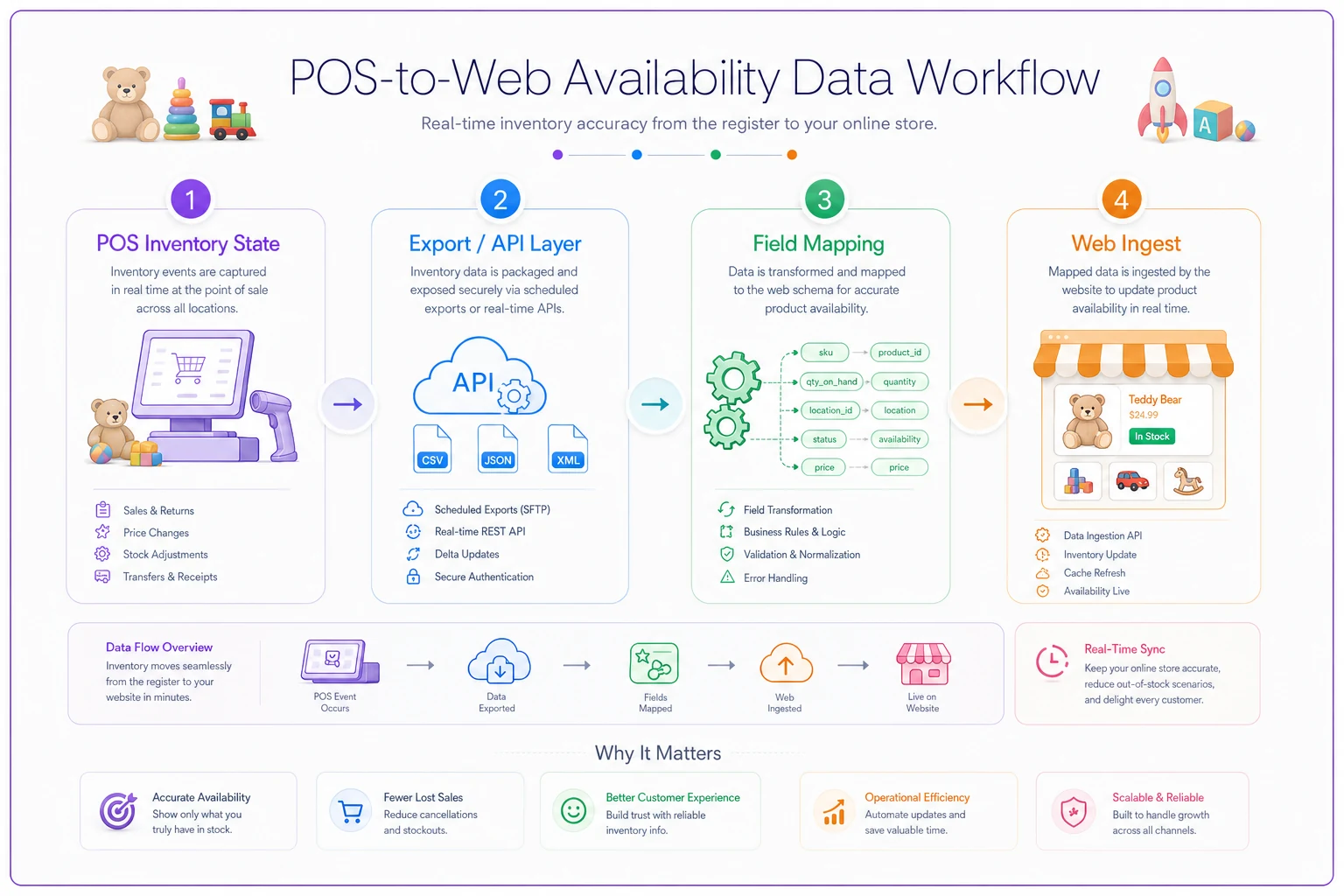
The mental model above helps you pick which side of the pipe to test first: source, export, mapping, or ingest. Start at one end and work methodically.
The error library: symptoms, causes, and the check that confirms it
Here's the reference table worth keeping pinned near your back-office computer. Match the symptom, run the confirming check, then jump to the fix section.
Never run out of bestsellers again.
GoToyvio helps you monitor inventory and sales to keep your shelves stocked and customers happy.
- Real-time stock tracking
- Automated reorder alerts
- Sales and promotion analytics
No credit card required
| Symptom | Most likely cause | Fast confirming check |
|---|---|---|
| Website shows "sold out" but stock is on the shelf | SKU mismatch — items not matching between systems | Export both SKU lists to CSV, diff them |
| Online quantity is always off by the same amount | Committed/reserved stock not subtracted, or a buffer rule | Pick one SKU, compare POS on-hand vs. web qty vs. open orders |
| Some products update, others never do | A subset of rows failing field validation silently | Check ingest log row count vs. export row count |
| Stock updates at night but not during the day | Scheduled sync running, real-time webhook broken | Make a test sale, watch if web qty moves within the cadence window |
| Everything froze two days ago | Expired API token or changed POS password | Check connector auth status / last successful sync timestamp |
| Negative quantities or weird decimals online | Data type mismatch in field mapping | Grep the export file for negative values or non-integers |
| New products never appear online | New SKUs created after last full mapping sync | Count products in POS vs. count live on web |
The pattern across a lot of these setups is that owners feel the problem as "everything's broken" when it's really one row type failing. The CSV diff alone resolves a surprising share of cases.
Quick CLI and CSV checks you can actually run
You don't need to be technical for most of these. If you can export a CSV and open a terminal, you can isolate 80% of feed failures. On Mac/Linux these run in Terminal. On Windows, use PowerShell or install Git Bash.
Check 1 — Diff your SKU lists (the single most useful check)
Export your POS inventory to pos.csv and your web products to web.csv. Pull just the SKU column from each, sort them, and compare:
cut -d',' -f1 pos.csv | sort > posskus.txt
cut -d',' -f1 web.csv | sort > webskus.txt
comm -23 posskus.txt webskus.txt
That last command lists SKUs that exist in POS but not on the web. Those are your "showing sold out / never appearing online" culprits. Flip the file order to find web SKUs with no POS match — usually old discontinued items still live.
Check 2 — Hunt for bad values in the export Negative stock, blank quantities, and stray decimals break ingest silently. Scan for them: grep -n ",-" pos.csv # find negative numbers grep -nc ",," pos.csv # count rows with empty fields
Check 3 — Confirm row counts match If your export has 1,420 rows but the web ingest log shows 1,388 processed, 32 rows got dropped. That's your "some products never update" problem. wc -l pos.csv Compare that to the "records processed" number in your connector's last sync report. A gap tells you most of what you need to know.
Check 4 — Spot the trailing-space SKU problem
This one's nasty because SKUs look identical but don't match. "TOY-1138" and "TOY-1138 " are different strings. Reveal hidden whitespace:
grep -nP "[ \t]+," pos.csv
Trailing spaces from a barcode scanner or a copied spreadsheet cell cause more phantom "sold out" listings than any API bug. It's genuinely one of the more common things I see.
Field-mapping tests (where most "mystery" bugs live)
Field mapping is the layer everyone ignores because it was set up once and "worked." But mappings drift — someone adds a POS field, renames a column, or the web platform updates its schema.
-
The quantity source test. Confirm your web
inventoryquantitymaps to the POS field you think it does. Many POS systems export bothonhandandavailable(available = on_hand minus committed). Mapping to the wrong one makes your online stock chronically high or low by exactly the number of open orders. -
The identifier test. Verify the join key. If the web matches on SKU but your POS pushes
itemidas the primary and SKU as a secondary attribute, a single mismatched itemid silently orphans a product. -
The type test. Quantities must land as integers. If the mapping passes a string or a decimal where the web expects a whole number, that row fails validation and gets skipped — which is exactly why some products update and others don't.
If possible, use low-traffic SKUs as canaries to avoid customer impact when testing mapping changes.
A clean way to test a mapping change without risking your whole catalog: pick 3–5 low-traffic SKUs, change the mapping, trigger a manual sync, and watch only those. If they behave correctly, roll it out. This "canary SKU" habit prevents the classic mistake of remapping everything at once and having no idea which change broke what.
A reconciliation cadence that catches drift before customers do
Checks are reactive. A reconciliation cadence is how you catch the drift before a customer hits a false "sold out." You don't need software to start — a recurring calendar block and a spreadsheet beat the alternative of finding out from an angry email.
-
Daily (2 minutes) Glance at the connector's last-successful-sync timestamp. If it's older than your cadence window, investigate auth first before anything else.
-
Weekly (15 minutes) Run the SKU diff (Check 1) and the row-count check (Check 3). Log how many mismatches you found. If that number is trending up, a mapping or process issue is brewing.
-
Monthly (30 minutes) Spot-audit 15–20 physical items against both POS and web quantity. This is the only check that catches all three layers agreeing on the wrong number — which happens when a receiving error feeds bad data into everything downstream.
The number that matters is your mismatch count trend, not the absolute figure. A store that consistently finds 3–4 mismatches a week is stable. A jump to 20 means something changed — a new vendor import format, a staff member bulk-editing SKUs, a platform update. The cadence turns a vague "sync feels off" into a dated, trackable signal.
This reconciliation discipline pairs directly with your allocation rules — if you haven't set buffer and oversell guards yet, the inventory-allocation rules post covers the thresholds that stop a sync hiccup from becoming an oversell.
Rollback steps for the three most common POS→web setups
When a sync change goes wrong, the instinct is to keep tweaking forward. Don't. Roll back to the last known-good state, confirm stability, then reapply changes one at a time.
Setup A — CSV drop to web importer (scheduled file)
-
Keep the last 7 export files, timestamped. Never overwrite the same filename.
-
To roll back
re-import the last file from before the problem started.
-
Then disable the schedule, fix the export at the source, and re-enable.
The common mistake: deleting old export files to "save space." Those files are your undo button.
Setup B — Middleware connector (POS ↔ app ↔ web)
-
Before any mapping change, screenshot or export the current mapping config.
-
To roll back
restore the saved mapping, then force a full re-sync.
-
Avoid "re-authenticating" as a first move — it often triggers a fresh full sync that overwrites good web data with whatever the broken mapping produces.
Setup C — Direct API / real-time webhooks
-
Keep a note of your last working webhook endpoint and secret.
-
To roll back
temporarily switch from real-time to scheduled polling. Slower but stable, and it buys you time to debug the webhook without the store showing wrong stock.
-
Webhooks fail silently when a token expires. The scheduled fallback keeps you accurate while you reissue it.
When a sync change goes wrong, the instinct is to keep tweaking forward. Don't. Roll back to the last known-good state, confirm stability, then reapply changes one at a time.
A real scenario: the "always short by four" bug
A two-person toy store running a mainstream POS with a connector to their web store kept getting complaints that popular items showed sold out online while sitting on the shelf. They'd re-sync, it'd look fine for a day, then drift again.
Running the diff showed SKUs matched perfectly — not a mismatch problem. Row counts matched too. The giveaway came from the quantity-source test: the web was mapped to available, and the POS was subtracting a 3-unit safety buffer plus counting a handful of layaway holds as committed. So anything with roughly four or fewer on hand flipped to zero online.
The fix took about twenty minutes: remap to the correct available-quantity field and consolidate the buffer into a single deliberate rule instead of two overlapping ones. Phantom sold-outs dropped to near zero, and they recovered somewhere around a dozen online orders a month that had been quietly evaporating. Nothing complicated — just isolating which handoff was lying before touching any settings.
When to fix it yourself vs. call your integrator
Do it yourself when: the SKU diff or row-count check points to a clear, small set of rows; the problem is a mapping field you can see; or you just need to roll back to a prior file. These are twenty-minute fixes.
-
Call the integrator when auth keeps breaking after you reissue it, the connector throws errors during a clean sync, or physical counts, POS, and web all three disagree in different directions. That last one usually means a deeper data integrity issue, not a feed issue.
-
Who should not touch the mapping at all if you can't export a backup of the current config first, stop. Get the backup, or get help. Editing a live mapping with no rollback path is how a one-SKU problem becomes a whole-catalog outage.
One more thing on access: the more people who can edit SKUs, mappings, and sync settings, the more drift you'll see. Tightening who's allowed to change what is a governance decision, and the retail tech governance post walks through sensible permission boundaries for a small team.
Keep the error library close
POS-to-web sync feels mysterious because the failures are quiet and specific, while the symptom — "stock is wrong" — is loud and vague. That gap is where you lose online orders without ever seeing why.
Match the symptom in the table, run the confirming check, isolate the broken handoff, roll back if needed, then fix at the source. Keep these checks somewhere you can find them at 8am on a Saturday when the weekend rush is starting and the feed decided to act up. The stores that stay accurate aren't the ones with the fanciest integration — they're the ones who can tell, in ten minutes, exactly which layer is lying.
Ready to elevate your toy store operations?
Join 500+ toy retailers using GoToyvio to increase sales, reduce stockouts, and enhance customer loyalty.