
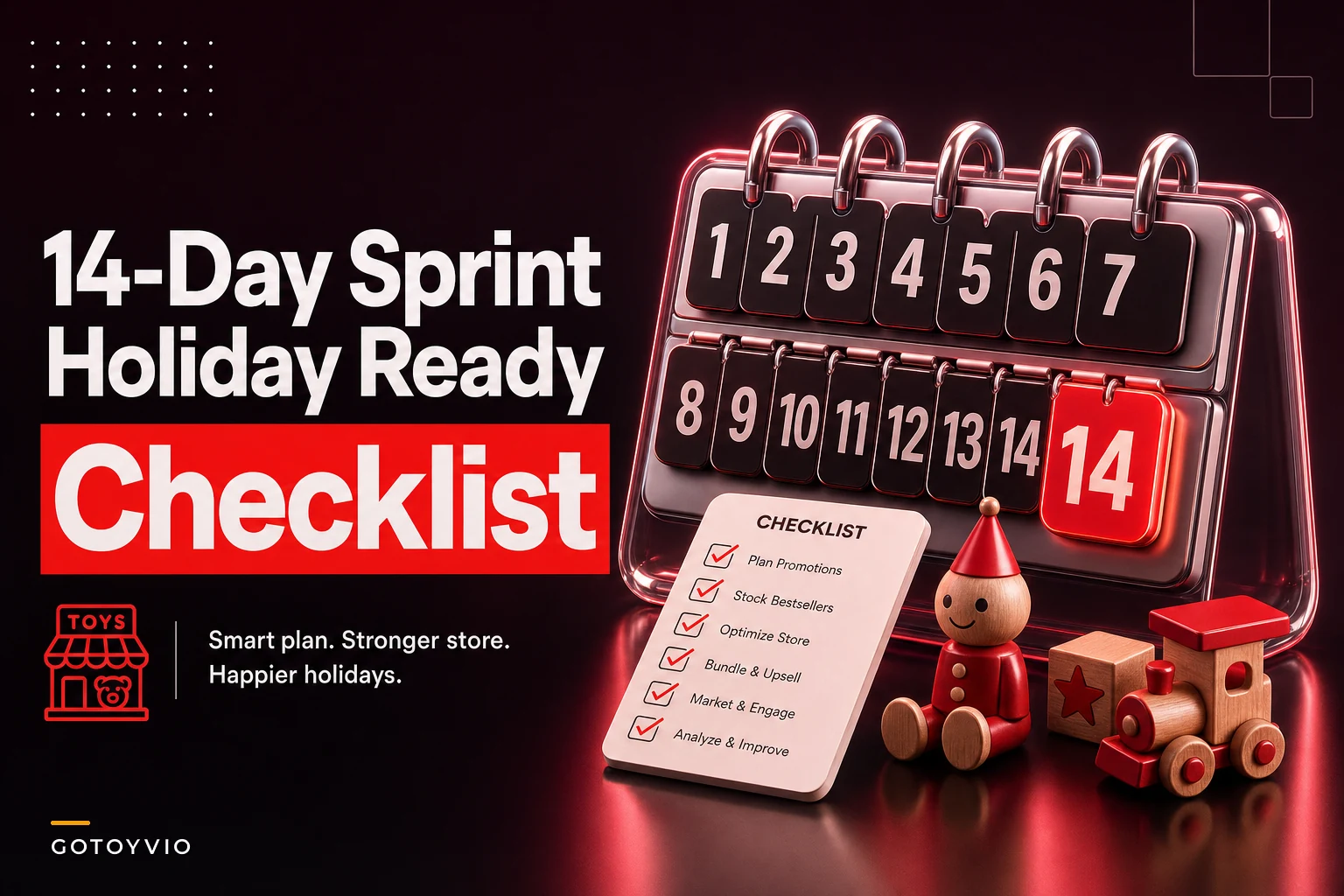

Most holiday-prep advice assumes you have a team. You don't. You have yourself, maybe a part-timer, and a spouse who shows up on Saturdays to run the register while you restock the Lego wall. That's what this checklist is actually built around.
The biggest mistake tiny stores make isn't under-ordering or over-ordering. It's trying to do everything at once in the last week, when a single supplier backorder or a sick cashier can collapse the whole plan. So instead of a giant to-do dump, this is a sequenced 14-day run where each day has a tight scope, a clear stop-or-continue decision point, and a fallback for when things don't go as planned.
Fourteen days before your real rush — for most independents that's roughly the window between late November and the second week of December — is the sweet spot. Early enough to fix supply gaps, late enough that your demand signals are actually real.
A quick note on how to use this: don't batch the days. Each day is small enough to finish in 60–90 minutes around normal store operations. If you fall behind, use the catch-up gates on Day 7 and Day 11 rather than skipping ahead.
How the stop/continue gates work
Each day ends with a gate — a yes/no question that tells you whether to keep executing the plan or switch to a fallback. This matters for tiny teams because you don't have the slack to discover on December 18th that your top SKU never shipped. Gates force the bad news to surface early, while you can still do something about it.
| Gate type | Question you're answering | If "no," you... |
|---|---|---|
| Supply gate | Did the inventory actually arrive / confirm? | Trigger substitute sourcing |
| Capacity gate | Can current staffing handle projected volume? | Cut scope or add one shift |
| Cash gate | Is there enough runway for the last reorder? | Delay non-essential buys |
| Catch-up gate | Are you on schedule overall? | Skip "nice-to-have" days |
The gates aren't decoration. The stores that stay calm in December are the ones that made their panic decisions in week one.
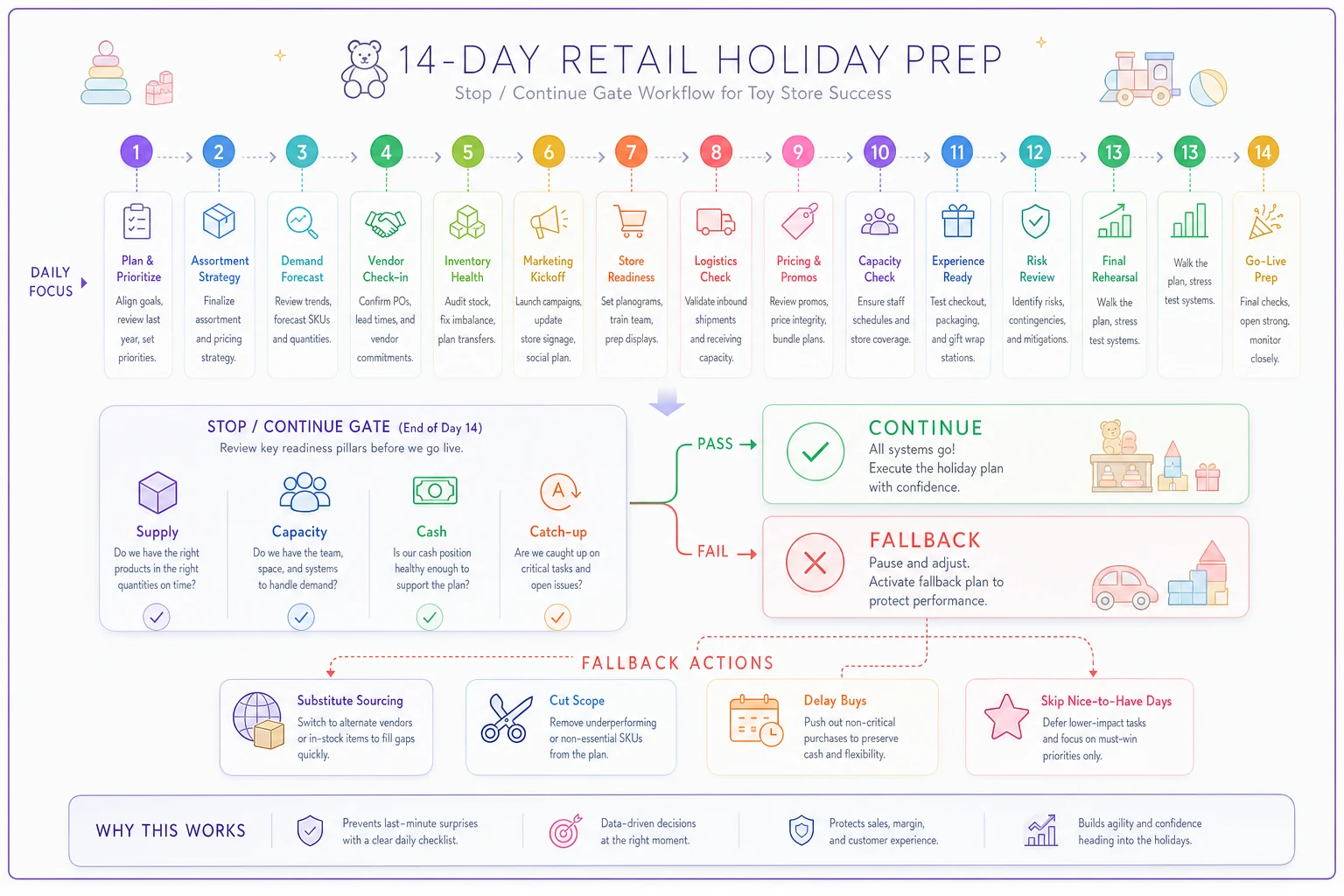
A simple diagram like this helps teams (and one-person owners) make the gate decision quickly and consistently.
Days 1–4: Lock the foundation
Day 1 — Pull your "last December" numbers and mark your top 15 SKUs
Never run out of bestsellers again.
GoToyvio helps you monitor inventory and sales to keep your shelves stocked and customers happy.
- Real-time stock tracking
- Automated reorder alerts
- Sales and promotion analytics
No credit card required
Open your POS and export last year's December sales, or the closest comparable period if this is year one. You're not building a forecast model. You're identifying the 15 SKUs that drove the most units and the 15 that drove the most margin — they overlap less than you'd think.
A typical example: a store realizes their best-selling item (a $12 fidget toy) made them almost nothing after cost, while a $45 wooden marble run that sold a third as many units quietly carried the month. That changes what you protect.
Gate (Supply): Do you have, or can you still order, enough of your top 15? If a key SKU is already discontinued or on allocation, flag it now for Day 3.
Fallback: If your POS data is messy or incomplete, use supplier reorder history instead. Your distributor invoices from last December are a decent proxy.
If your underlying inventory system is shaky going into this, it's worth reading how to build a seasonal inventory system that prevents stockouts and protects cash — but don't try to overhaul it mid-prep. Patch now, rebuild in January.
Day 2 — Set your "do not run out" shortlist (max 8 items)
From the top 15, pick the 8 you genuinely cannot afford to be out of during peak weekends. The constraint matters. Tiny teams can't actively manage stock levels on 60 SKUs during a rush. Eight is about the limit of what one distracted owner can mentally track.
For each, write the current on-hand count, the reorder trigger number, and the lead time. Three numbers per item, twenty-four numbers total, on one sheet.
Gate (Supply): For each of the 8, is lead time shorter than the days remaining? If a reorder takes 10 days and you have 9, that item is already a fallback candidate.
Day 3 — Place your protective reorders and open substitute conversations
Order against the shortlist. For anything that failed the Day 2 gate, this is when you call the supplier and ask the uncomfortable question: "What's your closest in-stock alternative?" Don't wait for them to offer it.
Substitute sourcing works best when you ask for a category swap, not an identical-item swap. If the exact RC car is gone, the question isn't "do you have this one" — it's "what RC car in the $30–$40 range can you ship this week."
Fallback template — substitute request (paste into email): > "Hi [Name] — prepping for our holiday rush. If [SKU] is unavailable or on allocation, can you confirm your closest in-stock alternative in the same price band and age range? I can commit to [qty] today if you can confirm ship-by [date]."
Day 4 — Cash check and reorder ceiling
Before placing any more orders this week, set a hard ceiling on remaining inventory spend. This is the day you decide what you're willing to tie up in stock versus keep as runway for payroll and surprises.
A simple rule many independents use: no single late-season reorder should exceed what you can realistically sell in about two weekends. If it won't move by Christmas, it's a January markdown problem.
Gate (Cash): Does your projected spend leave enough to cover payroll through the first week of January? If not, cut the lowest-margin reorder first. The profit-first cashflow playbook covers the ordering-window logic in more depth if you want the full framework.
Days 5–8: Staffing, stations, and the stuff that breaks
Day 5 — Map your worst three hours
Look at last year's hourly sales. Find the three busiest hours of your busiest day — usually a Saturday afternoon, sometimes the final weekend before Christmas. Everything about staffing should be built around surviving those three hours, not your average Tuesday.
Owners staff for the average and then personally absorb every peak as stress. You can't gift-wrap, answer the phone, run the register, and track down the one toy a frantic dad needs — all at once. Something gets dropped, and it's usually the sale.
Day 6 — Build the one-page "peak shift" playbook
Write down, literally on one page, who does what during those worst three hours. Register. Floor. Wrapping. Restock. On a two-person day, that means pre-deciding what you stop doing when it gets busy — restocking the back wall can wait, the line cannot.
-
- [ ] Register station stocked with bags, receipt paper, tape
-
- [ ] Gift-wrap station prestocked with 3 paper options, pre-cut tape strips, scissors on a tether
-
- [ ] "Finding" cheat sheet
where your top 15 SKUs physically live
-
- [ ] Phone script for "do you have X" so anyone can answer in 10 seconds
-
- [ ] One printed backup of the shortlist stock numbers, in case the POS lags
Day 7 — CATCH-UP GATE + hire/backup decision
This is your first honest checkpoint. Are Days 1–6 actually done, or half-done?
Gate (Catch-up): If you're behind, stop adding new tasks. Spend today finishing the shortlist and the peak playbook — those two things matter more than everything else combined.
Gate (Capacity): Can your current crew cover the worst three hours? If not, today is the last realistic day to line up a seasonal part-timer or an on-call friend. Waiting past Day 7 means you're training someone during the rush, which rarely goes well.
Fallback: If you can't hire, reduce scope instead. Cut store hours on your slowest weekday to bank energy for peak days. A tiny store open 11–4 on a dead Tuesday is often losing money and owner stamina at the same time.
Day 8 — Test your checkout and payment failure plan
Run a full transaction, including a gift card sale, a return, and a split payment. Peak season is exactly when a glitchy card reader or an expired integration surfaces — always with a line of ten people watching.
Fallback template — card system down: > Keep a written "manual sale" sheet: item, price, payment method, customer name/phone. If the POS drops, you keep selling on paper and reconcile after close. Ten minutes of prep saves you from turning customers away during your best hour.
Days 9–12: Demand, display, and the preorder pileup
Day 9 — Front-load your highest-margin items
Reset the front table and sightlines around margin, not just popularity. The $12 impulse items belong near the register. The $45 marble run from Day 1 belongs where a browsing parent sees it first.
A quiet mistake that comes up constantly: stores bury their best-margin gift in the back because it feels "premium" and doesn't need pushing. During the holidays, the opposite is true. The gift-buyer with a $50 budget actively wants to be shown the answer — they just need to see it.
Day 10 — Clear the preorder and hold backlog
Go through every preorder, reservation, and "I'll come back for it" hold. Confirm each one by text or call. The December failure pattern is a shelf full of held items that customers forgot about, tying up stock you could be selling to someone standing in front of you.
Gate (Supply): For each confirmed preorder, is the item physically in the store or confirmed to arrive in time? If not, this is the last comfortable moment to offer a substitute or a refund rather than a Christmas Eve disappointment.
Fallback template — preorder at risk: > "Hi [Name] — quick update on your hold for [item]. We're [confirming it's ready / hitting a supplier delay]. If timing's tight, I can swap it for [alternative] or refund the deposit — whichever's easier for you. Just let me know by [date]."
Day 11 — SECOND CATCH-UP GATE + final reorder cutoff
Gate (Catch-up): Honest status check. Days 1–10 complete?
Gate (Cash + Supply): This is your final reorder decision. After today, any new order likely won't sell through before the holiday and becomes January risk. Only reorder shortlist items that are genuinely low and genuinely reorderable in time.
This discipline is what separates stores that start January with clean cash from stores that spend the winter discounting a backroom full of good intentions.
Day 12 — Returns and gift-receipt readiness
Set your holiday return window and print it on receipts or post it at the register. Decide now how you'll handle gift returns without receipts, because you will get them, and deciding in the moment leads to inconsistent calls that cost you either money or goodwill — sometimes both.
Prep a simple gift-receipt workflow: how to issue one, and a basic rule for what's returnable (opened collectibles, usually not; sealed boxed toys, usually yes). Write it down so a part-timer can handle it without tracking you down.
Days 13–14: Final readiness and the calm-down
Day 13 — Dry run the peak shift
Walk the whole peak-shift playbook physically, mid-afternoon. Stand at the register. Time how long it takes to gift-wrap one medium box — if it's over 3 minutes, pre-cut more supplies. Pull your top 15 SKUs from memory using only the finding cheat sheet. Fix whatever's slow today, not during the rush.
This is also when you confirm your backup person has actually read the plan. A playbook nobody has looked at is just paper on a wall.
Day 14 — Light prep and protect your energy
Resist the urge to start something big the day before the rush. Restock the shortlist to full. Confirm change in the register. Charge the card reader. Then stop.
The most underrated holiday-prep move for a solo or two-person store is arriving at the first big weekend rested. Burned-out owners make bad calls — they over-discount, forget to reorder, and snap at the customers they spent all year building relationships with.
A real scenario
A two-person neighborhood store — owner plus one weekend helper — kept running into the same December problem: their top gift item sold out by the second weekend, and the owner spent the back half of the month apologizing instead of selling.
Running a version of this sequence, they locked an 8-item shortlist on Day 2 and caught on Day 3 that their hero item was already on allocation. They sourced a substitute in the same price band that week. By Day 10's preorder sweep, they'd proactively swapped four at-risk holds before anyone got a bad surprise.
The result wasn't dramatic on paper — revenue was up maybe 10–15% over the prior December — but the real win was softer: almost no stockout apologies, no backroom pile of unsold late reorders, and an owner who wasn't completely fried by the 20th. January opened with clean cash instead of a markdown scramble.
When this plan makes sense (and when it doesn't)
It works well if you're a 1–3 person operation where the owner is also on the floor. The whole design assumes limited attention and no slack to recover from late surprises.
It's overkill if you have a full team with a dedicated buyer and floor manager — you'd want a more delegated plan with parallel workstreams instead of a sequential solo run.
Skip the catch-up gates at your own risk. The two honest checkpoints on Day 7 and Day 11 are where most of the value lives. Blowing past them is how you end up fine on paper and chaotic in practice.
The point of sequencing
Holiday prep fails for tiny stores not because owners don't work hard — it's because everything gets attempted at once in the final 72 hours, when there's no time left to fix anything. Spreading the real decisions across two weeks means your bad news shows up while you can still act on it.
The 14 days break down roughly like this:
-
Days 1–4 — Lock inventory
shortlist, reorders, cash ceiling
-
Days 5–8 — Lock operations
staffing, stations, payment contingencies
-
Days 9–12 — Lock demand
display, preorders, returns policy
-
Days 13–14 — Lock execution
dry run, rest, final restock
Print the day list. Tape it near the register. Do one day at a time.
Print the day list. Tape it near the register. Do one day at a time.
The stores that get through December calm aren't the ones who hustled hardest in the last week — they're the ones who made the hard calls on Day 3 and Day 7, while there was still time to change course.
Ready to elevate your toy store operations?
Join 500+ toy retailers using GoToyvio to increase sales, reduce stockouts, and enhance customer loyalty.